🏢 Company Management Guide
This comprehensive guide covers everything you need to know about managing your company profile on Pharmacy Pilot.
Adding a New Company
To add your company to the platform:
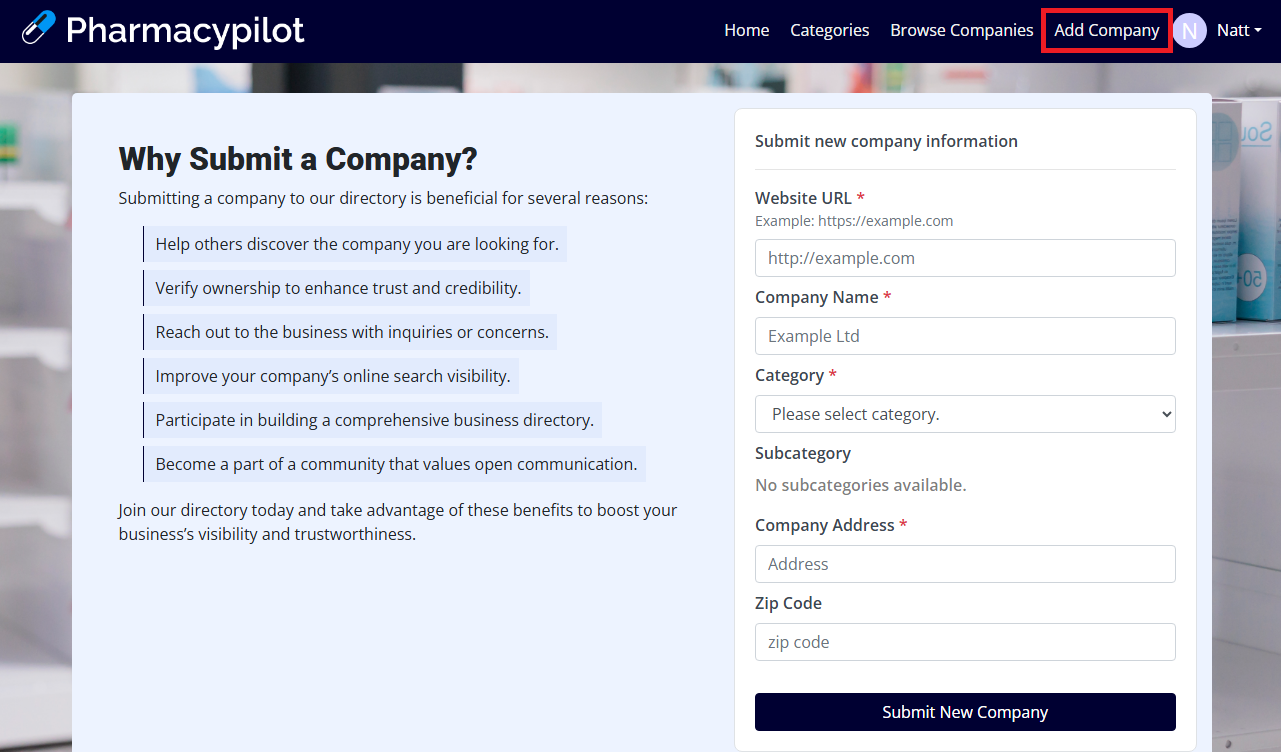
- Navigate to Add Company
- Complete the required information:
- Website URL
- Company name
- Category
- Company Address
- Submit the form for review
Important
All new company submissions require admin approval before being listed.
Company Verification Process
Verification Statuses
- Unverified: New submission awaiting add more submit company detail and wait for admin review
- Verified: Approved by admin with complete information
- Claimed: Owned by an authorized representative
Verification Requirements
- Valid business information
- Active website
- Complete contact details
- Accurate business details
- Professional company description
Claiming Your Company
To establish ownership of your company profile:
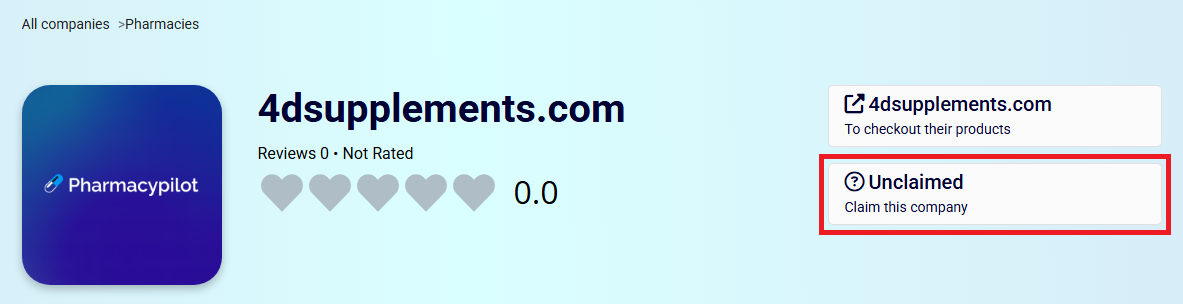
- Locate your company page
- Click the Unclaimed label
- Select Claim this company
- Verify your email (must match company domain)
- Complete the verification process
Important
After submitting your claim request, you will receive a verification email. If you don't see it in your inbox, please check your spam folder.
Benefits of Claiming:
- Customize company profile
- Receive review notifications
- Enhanced listing visibility
- Manage company information
Managing Company Information
Profile Updates
- Access Manage Company
- Update any of the following:
- Company logo
- Shipping information
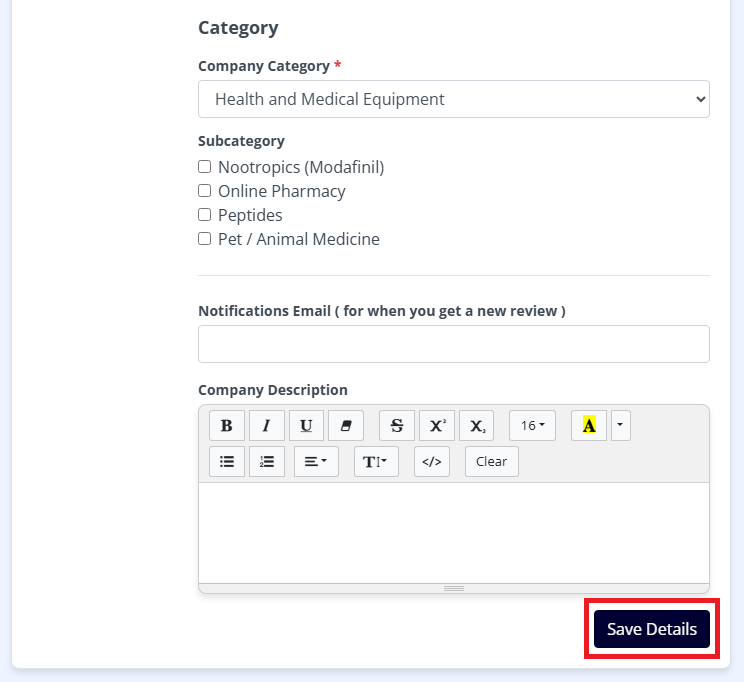
- Category and Subcategory
- Contact information
- Company description
- Save changes for admin review
Version Control
- Each change creates a new version
- Previous versions are preserved
- Roll back to approved versions if needed
- Track change history
Best Practices
-
Keep Information Current
- Regular updates to business details
- Accurate contact information
- Current service offerings
-
Professional Presentation
- High-quality logo
- Clear business description
- Professional photos
-
Response Management
- Monitor customer reviews
- Address feedback promptly
- Maintain positive engagement
Note: Regular profile maintenance helps maintain your company's visibility and credibility on the platform.